
Lowest Price Guaranteed

Lowest Price Guaranteed

15500+ Customers Served

1100+ Verified Service Providers

Dedicated Customer Support

On Time Services

100% Safe and Secure
You must need to confirm any hidden charges in Written before finalize the CCTV Camera for Office
Confirm the time slot at what time you want the CCTV Camera for Office
Confirm the GST charges if Applicable on the CCTV Camera for Office
Double check the waiting time before availing the CCTV Camera for Office
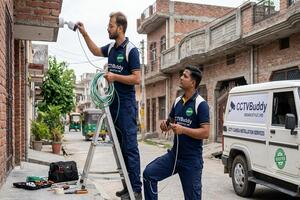
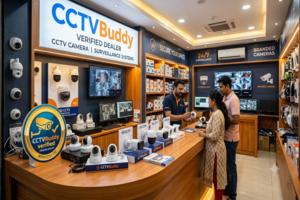
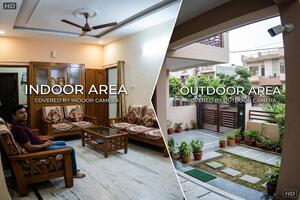
Explore our latest guides and tips to help you make the right choice for your CCTV and security needs.
How many CCTV cameras are needed for a small office?
A small office may need around 2–4 cameras, but the final number depends on entrances, rooms and areas that need monitoring.
What is the average cost of CCTV installation for an office?
A basic 2-camera setup may cost around ₹8,000–₹15,000, while a 6–8 camera installation can be around ₹20,000–₹45,000 depending on equipment, storage and installation work.
Which camera is suitable for an office entrance?
A high-resolution camera with the correct viewing angle is generally suitable because entrances often require clear images of people entering and leaving.
How long can office CCTV footage be stored?
It depends on the number of cameras, video quality, recording mode and hard disk capacity. Continuous high-resolution recording requires more storage.
Is an IP camera suitable for an office?
Yes. IP cameras can be useful for offices that need high-resolution video, network-based management or remote viewing. The network and power setup should be checked beforehand.
Can I view office CCTV on my mobile?
Many modern DVR, NVR and IP camera systems support mobile viewing. The required internet and network configuration must be available for remote access.
What should I compare when choosing a CCTV professional?
Compare the actual camera and recorder models, storage, installation scope, warranty, technical support and complete price. A lower quotation is not necessarily the better option if important equipment or services are excluded.

Post your need via filling form or calling us.

Team will discuss about your service need.

Price will be discussed after your need detail.

Pay a minimum amount and book service date and time slot and Sit relax! Your service is priority queue.
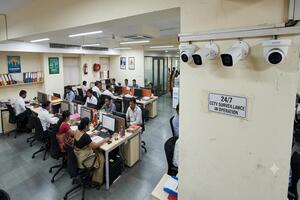
An office can have employees arriving at different times, visitors at the reception, valuable equipment in work areas and important documents or stock kept in storage rooms. A well-planned CCTV setup gives the business a way to monitor these areas and review recorded footage when needed.
The right setup is not necessarily the one with the most cameras. A small office may need only a few strategically positioned cameras, while a larger workplace may require coverage across several floors, entrances and outdoor areas. Camera quality, viewing angle, recording capacity and installation quality all play an important role.
An Office CCTV Camera System usually consists of cameras, a DVR or NVR, hard disk storage, power equipment and the required cabling or network connections. A monitor may be used for local viewing, while compatible systems can also provide access through a mobile phone or computer.
The equipment should work together as one system. For example, installing high-resolution cameras without enough storage can limit how long useful footage is retained.
A CCTV System for Office premises should cover the places where people enter, leave, work and move around regularly. Common locations include the main entrance, reception, corridors, staircases, storage areas, server rooms and parking spaces.
Camera positioning matters just as much as the camera itself. A poorly positioned camera can leave a doorway partly hidden or capture too much empty space. A site inspection before installation can help identify these gaps.
A CCTV camera for office use can provide useful visibility across several parts of a workplace:
Not every location requires the same type of camera. A reception area may need a different viewing angle from a large parking area.
A CCTV camera for office room requirements can be different from those of an entrance or parking area. Server rooms, equipment rooms and storage spaces may require detailed images of doors, access points and important items.
Before installation, check the room's lighting, furniture and possible obstructions. The camera should provide a useful view without unnecessarily covering areas where monitoring is not appropriate.
A surveillance camera for office monitoring can help businesses keep an eye on entrances, movement areas, workspaces and other important locations. Depending on the environment, useful features may include night vision, motion detection, higher resolution and remote viewing.
The most useful feature is not always the most advanced one. For example, a camera facing a well-lit reception area may have different requirements from one installed outside the building at night.
An Office Security Camera is commonly used at entrances, reception desks, employee access points, delivery areas and restricted sections.
At an entrance, the camera should be positioned to capture people clearly as they approach or pass through the doorway. Avoid mounting it where strong backlighting, reflections or an unsuitable viewing angle could reduce image quality.
An Office Security Camera System becomes more useful for workplaces with multiple floors, several entrances, larger premises or different departments that need monitoring.
A larger installation may combine indoor cameras, outdoor cameras, network equipment, centralized recording and remote access. It is also worth leaving room for future additions if the business expects to expand.
An IP Camera for Office in Kanpur can be a practical option for businesses that want network-based video, high-resolution recording and remote management.
IP systems can offer convenient centralized management, but the network should be capable of handling the cameras. PoE availability, bandwidth, storage and network security should be considered before installation.
A CCTV Camera for Commercial Office premises should reflect the way the business operates. A customer-facing office may give greater attention to reception and entrances, while a workplace handling equipment or inventory may need stronger coverage around storage and restricted areas.
Meeting rooms, employee areas, delivery points and parking can also be considered where activity in these locations needs to be reviewed.
A CCTV Camera for Corporate Office premises may involve multiple floors, departments, access points and technical areas. In these environments, centralized monitoring and controlled access to recordings can be particularly useful.
A corporate installation should also consider future changes. Additional cameras, larger storage requirements or new office areas may need to be accommodated later.
A CCTV Camera for Small Office does not mean that a large number of cameras is required. Many smaller workplaces can start with around 2–4 cameras, although the actual requirement will depend on the number of entrances, rooms and areas that need attention.
For instance, an entrance camera, a reception or workspace camera and one covering a corridor or storage area may provide useful coverage in a compact office.
The aim should be to cover important areas properly rather than install cameras simply to increase the total count.
An Office Surveillance System is only useful if the recorded footage can be stored and accessed when required. Before choosing the recording equipment, consider:
Higher-resolution cameras and continuous recording naturally require more storage. A professional should therefore recommend the recorder and hard disk along with the cameras rather than treating storage as an afterthought.
Selecting the Right Camera for Different Areas
The type of CCTV camera for office in Kanpur should be chosen according to the area being monitored.
| Office Location | Suitable Option | Why It Can Work |
| Main entrance | High-resolution IP camera | Better detail for identification |
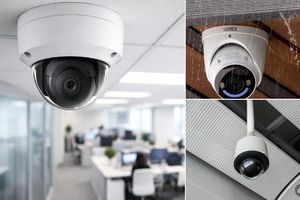
| Reception | Dome camera | Neat indoor coverage |
| Corridor | Dome camera | Suitable for fixed viewing |
| Parking | Outdoor bullet camera | Designed for exterior areas |
| Server room | High-resolution camera | Detailed monitoring |
| Large workspace | Wide-angle/IP camera | Broader coverage |
| Difficult-to-wire area | Wireless camera | Easier installation in suitable locations |
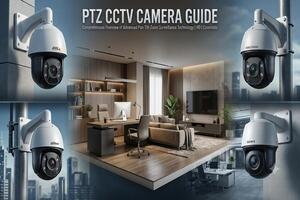
| Large outdoor area | PTZ camera | Flexible viewing direction |
There is no single camera type that is ideal for every part of an office. The viewing distance, lighting and area size should guide the selection.
The CCTV Camera for Office Charges in Kanpur vary according to the number and quality of cameras, recording equipment, storage, cabling and installation work.
For a basic reference, approximate setup costs may look like this:
| Number of Cameras | Approximate Setup Cost |
| 2 cameras | ₹8,000–₹15,000 |
| 4 cameras | ₹14,000–₹25,000 |
| 6 cameras | ₹20,000–₹35,000 |
| 8 cameras | ₹25,000–₹45,000 |
| Larger professional setup | ₹40,000+ |
These figures are indicative rather than fixed prices. A higher-end installation may cost more because of better cameras, larger storage, longer cable runs, outdoor equipment, multiple floors or additional networking work.
When comparing quotations, check what is actually included. Cameras, recorder, hard disk, cabling, installation, configuration, warranty and support should be clearly mentioned.
There is no fixed camera count for every workplace. As a general starting point:
| Workplace Size | Typical Starting Range |
| Small 1–2 room office | 2–4 cameras |
| Medium office | 4–8 cameras |
| Large office | 8–16+ cameras |
| Multi-floor workplace | Based on entrances and floor coverage |
These ranges are only a starting guide. A compact office with several entry points may require more cameras than a larger open-plan workplace with fewer access points.
If you are searching for a CCTV Camera for Office near me, a local professional can make site visits, installation and future service more convenient.
Before choosing one, compare the equipment being offered, installation work, warranty, storage capacity, support and total cost. Two quotations with similar prices may provide very different cameras or installation standards.
CCTVBuddy can help businesses find CCTV professionals based on their location and workplace requirements, making it easier to compare suitable options before making a decision.
The Best CCTV Camera for Office in Kanpur is the one that provides the right visibility for the location where it will be installed, rather than simply the camera with the highest specification.
Consider these examples:
The most important question is simple: What should the camera be able to see clearly?
Before accepting a quotation, check the practical details rather than comparing only the camera count.
A little planning at this stage can prevent problems such as blind spots, insufficient storage or unexpected installation charges.
Choosing office security equipment becomes easier when the recommendation is based on the actual workplace rather than a standard camera package.
CCTVBuddy helps businesses connect with CCTV professionals according to their location and requirements. Whether it is a small office, commercial workplace or larger corporate setup, businesses can explore suitable solutions and compare important details such as equipment, installation, pricing, warranty and support.
This gives office owners a better basis for choosing a professional instead of making the decision only on the lowest quotation.