
Lowest Price Guaranteed

Lowest Price Guaranteed

15500+ Customers Served

1100+ Verified Service Providers

Dedicated Customer Support

On Time Services

100% Safe and Secure
You must need to confirm any hidden charges in Written before finalize the CCTV Camera for Home
Confirm the time slot at what time you want the CCTV Camera for Home
Confirm the GST charges if Applicable on the CCTV Camera for Home
Double check the waiting time before availing the CCTV Camera for Home
Explore our latest guides and tips to help you make the right choice for your CCTV and security needs.
1. What is the total cost of installing CCTV cameras at home in Ghaziabad?
The total cost depends on the number of cameras, recording equipment, wiring, and installation work. A basic Wi-Fi camera setup may cost around ?2,000–?5,000, while a four-camera wired system may cost approximately Rs12,000- Rs 25,000. These are indicative estimates, so request an itemised quotation to confirm the equipment and services included.
2. Should I choose a 2MP, 4MP, or 5MP CCTV camera for my home?
A 2MP camera can work well for monitoring a nearby entrance or small indoor area. A 4MP or 5MP model may capture finer details across a wider area, provided the lens, lighting, and installation are suitable. Before paying extra for higher resolution, consider the distance you need to cover and whether you want to identify faces or simply monitor general activity.
3. Will a wireless CCTV camera work during a power cut?
Most standard Wi-Fi cameras stop operating when their power supply fails. Some battery-powered cameras continue working for a limited period, while wired CCTV systems may keep running if their cameras and recording equipment have a suitable backup power supply. If power cuts are a concern, ask the installer about backup options and how long the system can operate without mains electricity.
4. Can I access CCTV recordings without an internet connection?
Yes, if your camera or recording system supports local storage. Footage may be saved to a memory card, DVR, or NVR even when the internet is unavailable. However, remote viewing and internet-based alerts may not work until the connection returns. Confirm whether your chosen model supports continuous offline recording or records only when motion is detected.
5. How can I avoid blind spots when installing CCTV cameras at home?
Identify the entrances, parking areas, and other locations you want to monitor before deciding where to mount each camera. Check the viewing angle, obstructions, lighting, and distance from the area being recorded. For example, a camera covering the main gate may not provide a clear view of a vehicle parked farther down the driveway. A site assessment can help determine whether an additional camera is necessary.
6. Do home CCTV cameras record continuously, or only when they detect movement?
Both options are available, depending on the camera and recording system. Continuous recording is useful when you need a more complete record of activity, while motion-triggered recording can reduce storage usage. Some systems support both modes. Check the available storage capacity and expected recording retention before choosing your settings.

Post your need via filling form or calling us.

Team will discuss about your service need.

Price will be discussed after your need detail.

Pay a minimum amount and book service date and time slot and Sit relax! Your service is priority queue.
Choosing a CCTV camera for home in Ghaziabad starts with understanding what you need to monitor, how much detail you want in the footage, and how much you plan to spend. A single camera may be enough for a flat's main entrance, while an independent house with a gate, parking area, and multiple access points may need a more complete security system.
CCTVBuddy helps homeowners connect with local CCTV dealers, explore suitable camera options, and compare installation quotations. Whether you are looking for a wireless camera for everyday monitoring or a multi-camera system with continuous recording, the right choice should balance coverage, image quality, storage, and long-term costs.
Ghaziabad has a diverse residential landscape, from high-rise apartments in Indirapuram and Crossings Republik to builder floors in Vaishali and Vasundhara and independent houses in established residential neighbourhoods. These property types have different layouts, entry points, and monitoring requirements.
For example, a family living in an apartment may mainly want to monitor the front door and a permitted balcony entrance. A homeowner in Raj Nagar Extension may need to consider the main gate, vehicle parking, and the entrance to the house. In a larger independent property, separate cameras may be needed to cover the front boundary and side passage.
The purpose of planning a home CCTV installation is to cover important areas with as few unnecessary cameras as possible. Before comparing brands or prices, identify the locations that need monitoring, the lighting conditions, and whether you need to view recordings while away from home.
Modern households often have different working hours, frequent deliveries, parked vehicles, and periods when nobody is at home. A home security camera provides an additional way to check activity around important areas and review footage when something needs clarification.
Check Deliveries and Visitors When You Are Away
Imagine that you are at work when a courier arrives at your home. A camera covering the entrance may let you check when the delivery was made and whether the parcel was left outside. If a visitor later claims to have arrived at a different time, recorded footage may help clarify the sequence of events.
Monitor Vehicle Parking and the Main Gate
For homes with a driveway or parking space, an outdoor camera can record activity around parked vehicles and entry points. Positioning matters: a camera should capture useful detail of the monitored area rather than simply provide a wide view of the street.
Review Activity During Family Travel
If your family is away for a few days, remote viewing can help you check the entrance or other monitored areas. This feature depends on the camera, its power supply, and a working internet connection. Cameras with compatible motion detection can also send alerts when activity is detected.
Improve Visibility in Poor Lighting
A well-selected camera can help record activity after dark around a gate, entrance, or parking area. However, night-time performance varies by model, lighting, installation angle, and distance from the subject. Check sample footage or specifications before deciding.
Monitor Indoor Areas More Conveniently
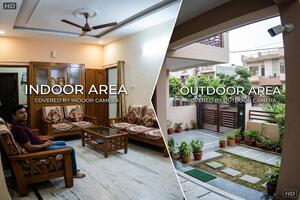
Some homeowners use indoor cameras to check a common room or another appropriate area while they are away. Features such as two-way audio, motion alerts, and mobile access vary by model. Cameras should be positioned with proper consideration for household privacy.
CCTV is a monitoring and recording tool, not a guarantee against theft or other incidents. Good placement, secure access, adequate storage, and regular checks are important for making the system useful.
The best CCTV camera for home in Ghaziabad depends on where it will be installed and how you intend to use the footage. These are the main options worth comparing.
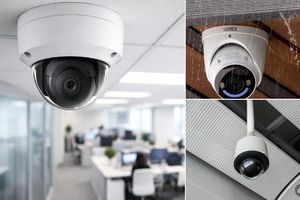
Dome Cameras for Indoor Coverage
Dome cameras are commonly used in indoor passages, covered entrances, living areas, and staircases. They offer a compact installation and are available in different resolutions and recording formats.
Choose a model with a suitable viewing angle and low-light performance for the room. For outdoor use, make sure the specific model is rated for the exposure conditions.
Bullet Cameras for Gates and Parking Areas
Bullet cameras are suitable for monitoring main gates, driveways, boundary walls, and other outdoor areas. Their directional design makes it easier to aim the camera at a particular entrance or approach.
For exposed installations, check the weather-resistance rating, night vision, and mounting position. Avoid pointing cameras unnecessarily into neighbours' private spaces.
Wireless Wi-Fi Cameras for Flexible Installation
A wireless CCTV camera for home in Ghaziabad is worth considering when you want app-based monitoring without running extensive video cables. These cameras can be useful in apartments, rented properties, and individual rooms.
Many models support live viewing, motion notifications, and memory-card recording. However, most still require electrical power, and remote access generally depends on a stable internet connection.
IP Cameras for Network-Based Surveillance
IP cameras transmit video over a network and are available in a range of resolutions. They can be suitable for homeowners who want detailed footage, network recording, or the flexibility to expand a system later.
Check compatibility with the intended NVR, network equipment, and recording software before purchasing. A higher-resolution camera may also require more storage and network capacity.
4G SIM Cameras for Homes Without Reliable Broadband
A SIM-based camera can be useful at a property where fixed broadband is unavailable or unreliable. Depending on the model, it may use a mobile network for remote viewing and alerts.
Before buying, check mobile coverage at the installation point, SIM compatibility, data requirements, power supply, and local recording options. Mobile data charges may add to the long-term cost.
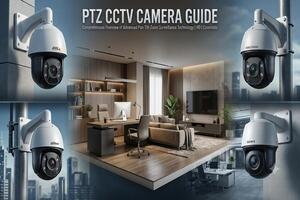
PTZ Cameras for Larger Areas
Pan-tilt-zoom cameras allow supported remote movement and zooming. They can be useful for monitoring larger outdoor spaces, but a moving camera cannot continuously capture every direction at once.
For a typical home, fixed cameras aimed at specific entrances may offer more consistent coverage. Consider PTZ only when its movement and zoom features address a genuine requirement.
The CCTV camera price for home in Ghaziabad varies according to brand, resolution, camera design, connectivity, and recording features. The following estimates are for planning purposes and should be confirmed against the exact model and a current dealer quotation.
| Camera type | Example brands | Approx. price per camera |
| 2MP HD dome camera | CP Plus, Hikvision, Dahua | Rs 900–Rs 2,500 |
| 2MP HD bullet camera | CP Plus, Hikvision, Dahua | Rs 1,000–Rs 2,800 |
| 4MP IP camera | CP Plus, Hikvision, Dahua | Rs 2,500–Rs 7,500 |
| 5MP HD camera | CP Plus, Hikvision, Dahua | Rs 2,000– Rs 6,500 |
| Wi-Fi smart camera | CP Plus, TP-Link Tapo | Rs 1,500– Rs 4,500 |
| 4G SIM-based camera | Compatible models from multiple brands | Rs 2,500– Rs 7,000 |
| PTZ camera | CP Plus, Hikvision, Dahua | Rs 4,000– Rs 15,000+ |
The prices listed are approximate and may vary depending on the camera model, features, brand, and dealer. Installation, recording equipment, wiring, and other accessories may be charged separately.
The total cost depends on the number of cameras and the equipment required to operate them. Wired systems may need a DVR or NVR, a surveillance hard drive, cabling, connectors, and installation labour. A standalone Wi-Fi camera may need only a memory card or optional cloud storage.
| Home CCTV setup | Approx. complete cost | What to check |
| One Wi-Fi camera | Rs 2,000– Rs 5,000 | Camera, power adapter, storage and setup |
| Two-camera wired system | Rs 8,000–Rs 14,000 | Cameras, recording unit, cabling and labour |
| Four-camera wired system | Rs 12,000–Rs 25,000 | Recording capacity, hard drive, wiring and installation |
| Eight-camera wired system | Rs 22,000– Rs 45,000+ | Storage capacity, cable routing and installation complexity |
Note: These price are the estimates only, final cctv charges may vary.
The quoted price may change depending on the property and the equipment included.
Camera quantity and quality: More cameras increase equipment and installation costs. Higher-resolution or feature-rich models can also cost more.
Recording equipment: A DVR or NVR and a suitable hard drive add to the cost of a multi-camera system.
Wiring and mounting: Long cable runs, concealed wiring, drilling, high mounting points, and difficult access can increase labour charges.
Storage requirements: Longer recording retention generally requires more storage, depending on resolution, frame rate, and recording schedule.
Connectivity: Wi-Fi configuration, mobile data, and cloud recording may involve additional setup or recurring charges.
Warranty and service: Confirm what the warranty covers and whether future visits, maintenance, or troubleshooting are chargeable.
Ask the dealer to separate camera prices, recording equipment, installation labour, accessories, taxes, and recurring fees. This helps you compare quotations accurately instead of choosing a package based on its headline price alone.
A camera with more features is not automatically the best choice. Match the equipment to your property and the footage you need.
Choose the Right Resolution
A 2MP camera can be suitable for basic monitoring of a nearby entrance. Higher-resolution options, such as 4MP or 5MP, may capture more detail when installed and configured correctly. Actual results also depend on lens quality, lighting, distance, and image processing.
Decide Between Wired and Wireless Systems
A wired system is worth considering when you need several cameras and centralised recording. Wi-Fi cameras can be easier to install in selected locations, but they depend on wireless coverage and usually need a power source.
Choose based on your property's layout, installation constraints, and recording needs rather than assuming one technology is always better.
Check Night Vision and Motion Detection
Review the manufacturer's night vision specifications and motion-detection capabilities. If the camera will monitor a gate or parking area after dark, its performance in low light may matter more than a long feature list.
Plan Storage Before Installation
Think about how many days of footage you need to retain. Recording continuously generally uses more storage than recording only when motion is detected. Check whether the camera supports a memory card, local recorder, or cloud plan and whether additional fees apply.
Protect Access to Your Camera
Change default passwords, use strong account credentials, install available firmware updates, and enable appropriate account security features. Keep access restricted to authorised people and review privacy settings before sharing camera access.
If you are searching for a CCTV camera for home near me in Ghaziabad, compare local providers on more than distance or the lowest quoted price. Product availability, installation experience, warranty terms, and post-installation support can all affect the overall value.
CCTVBuddy helps homeowners connect with local CCTV dealers and explore suitable options for their requirements. When requesting a quotation, share your locality, property type, number of cameras, preferred features, and approximate budget.
Before confirming the order, ask the provider:
Which exact camera models and resolutions are included?
Does the quoted amount include installation and a specified length of cable?
Are the DVR/NVR, hard drive, connectors, and power supplies included?
Will the installer configure mobile viewing and test recordings?
What warranty applies to the cameras and installation?
Are there any separate charges for travel, maintenance, or cloud services?
Confirm the final price, included equipment, installation timeline, and service terms in writing. Nearby availability and charges can vary between providers.
A suitable home surveillance system should provide useful coverage, dependable recording, and features that fit your budget. The right setup may be a single Wi-Fi camera for an apartment entrance or a wired system covering several access points in an independent house.
CCTVBuddy helps homeowners connect with local CCTV dealers, explore camera options, and compare quotations before making a decision. Share your property type, monitoring requirements, and preferred budget to help providers understand what you need.
Explore home CCTV camera options and installation quotations in Ghaziabad with CCTVBuddy.