
Lowest Price Guaranteed

Lowest Price Guaranteed

15500+ Customers Served

1100+ Verified Service Providers

Dedicated Customer Support

On Time Services

100% Safe and Secure
You must need to confirm any hidden charges in Written before finalize the CCTV Camera for Office
Confirm the time slot at what time you want the CCTV Camera for Office
Confirm the GST charges if Applicable on the CCTV Camera for Office
Double check the waiting time before availing the CCTV Camera for Office

Explore our latest guides and tips to help you make the right choice for your CCTV and security needs.
How many cameras does a small office need?
A small office may need two to four cameras to cover the entrance, reception and other priority areas. The exact number depends on the floor plan, blind spots and the level of detail required.
Are Wi-Fi cameras suitable for office security?
They can work well in smaller offices with reliable network coverage and suitable power arrangements. Larger systems may benefit from wired or hybrid installation, particularly when continuous recording is important.
What should an office CCTV quotation include?
Check camera specifications, the recording device, storage, cables, mounting accessories, labour, configuration, warranty and support. Ask the provider to identify any exclusions or additional charges.
Can office CCTV footage be viewed remotely?
Many IP and Wi-Fi systems support remote viewing through an application or authorised software. This depends on the equipment and correct network configuration.
How should businesses compare CCTV installation providers?
Compare relevant installation experience, itemised pricing, equipment specifications, warranty terms and support availability. Confirm the final scope in writing before approving the work.
Make an informed choice for your workplace. CCTVBuddy helps businesses explore local CCTV providers and compare quotations so they can evaluate available security options against their needs and budget.

Post your need via filling form or calling us.

Team will discuss about your service need.

Price will be discussed after your need detail.

Pay a minimum amount and book service date and time slot and Sit relax! Your service is priority queue.
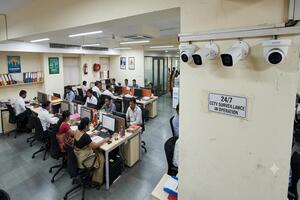
Office security requirements vary according to the size of the workplace, the number of people using it and the type of equipment or information stored on the premises. A small office may need basic entrance monitoring, while a larger business could require cameras across reception areas, corridors, workspaces and storage rooms.
Before choosing a system, identify the areas that need monitoring, the level of recording detail required and the budget available for equipment and installation. CCTVBuddy helps businesses explore local CCTV providers, request quotations and compare available options before making a decision.
Delhi has a wide range of commercial properties, from offices around Connaught Place and Nehru Place to industrial workspaces in Okhla. Each building can present different installation requirements, depending on its floor plan, existing wiring and access to mounting points.
When planning a CCTV Camera for Office in Delhi, consider entrances, visitor areas, valuable equipment, corridors and other locations where recorded footage could be useful. The number of cameras should follow the layout and monitoring requirements rather than an arbitrary package size.
A site assessment can help identify blind spots, suitable mounting positions and the most practical recording arrangement.
Camera specifications should be chosen according to the area being monitored. Image resolution, viewing angle, low-light performance, storage capacity and compatibility with the recording system all influence the result.
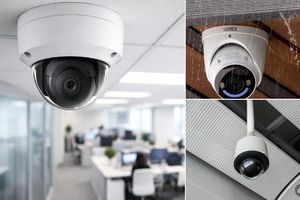
When evaluating the best CCTV camera for office in Delhi, consider what the camera needs to capture. An entrance may require clear facial detail, whereas a wider camera view could be more useful for monitoring a corridor or common area. Dome cameras, bullet cameras and IP cameras each have different strengths, so compare their features against your actual requirements.
Avoid paying for advanced features that your office does not need, but do not compromise on image quality or recording capacity where these are essential.
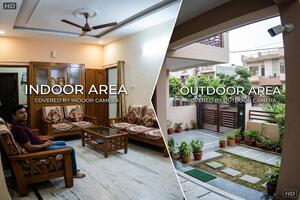
Indoor surveillance can help businesses monitor reception areas, corridors, meeting-room entrances and equipment storage spaces. Correct positioning matters because partitions, glass reflections and bright windows can reduce the usefulness of recorded footage.
A CCTV Camera for Office indoor setup should provide a clear view of the intended area without unnecessarily capturing private activities. Check lighting conditions and camera angles before installation, particularly in rooms with glass partitions or multiple entrances.
Restrict access to recordings to authorised personnel and establish appropriate rules for storing and reviewing footage.
Some businesses need monitoring in a specific room rather than across the entire office. This may include a room used for equipment storage, document handling or controlled access, depending on the organisation's security policy.
When selecting a CCTV Camera for Office room, first determine what needs to be visible in the recording. A camera covering the entrance may be sufficient for some rooms, while others may require a wider view. Check for obstructions, lighting changes and the availability of power and network connections.
Cameras should not be placed in private spaces or positioned to capture confidential activities unnecessarily.
Installing cables can be difficult in rented offices, finished interiors or buildings where structural changes are restricted. Wi-Fi cameras may offer more flexibility, provided the network coverage and power arrangements are suitable.
A Wifi CCTV Camera for Office in Delhi can be an option for a smaller workspace where a stable wireless connection is available. Before selecting a model, check its recording method, storage options, remote-viewing features and performance when internet access is interrupted.
Wireless equipment still requires appropriate configuration and a reliable power source. The total installation cost should therefore be assessed alongside the convenience of avoiding some cable work.
Wireless systems can be useful when camera positions may need to change or running cables would cause disruption. However, wireless connectivity does not automatically guarantee better performance; network congestion, signal strength and the number of connected devices can affect reliability.
A wireless security camera for office in Delhi may suit a smaller workplace or a location where cabling is impractical. For larger offices that require several cameras and continuous recording, a wired or hybrid system may offer a more dependable solution.
Compare both approaches against the building layout, recording requirements and long-term maintenance needs before making a decision.
Entrances are important surveillance points because they are used by employees, visitors, delivery personnel and service staff. A correctly positioned camera can help businesses review entry activity and investigate incidents when necessary.
A security camera for office door coverage plan should account for the distance from the entrance, lighting conditions and the direction in which people approach. Outdoor-facing cameras may also need suitable weather protection. Avoid angles that are frequently blocked by an open door or affected by strong backlighting.
For busy workplaces, coordinate entrance coverage with reception-area monitoring where necessary, while respecting privacy requirements.
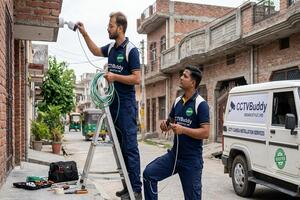
Installation involves more than mounting cameras on walls or ceilings. The installer should assess the site, determine suitable camera positions and plan the cable routes, power supply and recording equipment before starting work.
Professional CCTV Camera installation in office premises generally involves four stages:
Site assessment: Identify priority areas, blind spots and mounting positions.
Equipment planning: Select cameras, recording devices, storage and accessories.
Installation and configuration: Mount the equipment, complete connections and configure recording or remote viewing where supported.
Testing and handover: Check camera views, playback, recording and authorised access.
Before approving a quotation, confirm whether installation labour, cabling, accessories, configuration, testing, taxes where applicable and after-installation support are included.
The final cost depends on camera quantity, resolution, recording equipment, storage, cable length and installation complexity. A small office with two cameras will usually have different requirements from a multi-floor workplace that needs extensive coverage.
When comparing CCTV Camera for Office charges in Delhi, request an itemised quotation rather than relying only on a package headline. The following figures are indicative planning estimates, not guaranteed prices or confirmed offers from CCTVBuddy.
| Type of setup | Approximate budget |
| Basic 2-camera setup | Rs 5,500–Rs 9500 |
| 4-camera HD setup | Rs 10,000–Rs 14,500 |
| 6-camera setup | Rs 15,000–Rs 22,500 |
| 8-camera setup | Rs 24,000– Rs32,000 |
| 2-camera Wi-Fi setup | Rs 4,000–Rs 8,500 |
| Larger or multi-floor office | Based on site assessment |
Actual charges may vary with the equipment brand, installation conditions and provider. Ask whether the quote includes the recorder, hard drive, mounting accessories, cable work, configuration, warranty and support. Comparing the same items across quotations makes it easier to assess value.
A nearby installer can make site visits and follow-up support more convenient, but proximity should not be the only selection criterion. Experience, quotation transparency, equipment knowledge and service availability also matter.
If you search for a CCTV Camera for Office near me, explain your office requirements and ask whether the provider has handled similar installations. Confirm coverage for your exact address, the expected installation timeline and any additional visit charges before proceeding.
CCTVBuddy can help you explore available local providers and compare their proposals, subject to provider availability.
Choosing equipment and selecting an installer are separate decisions. CCTVBuddy helps businesses submit their requirements, explore suitable local CCTV providers and compare quotations before choosing whom to contact.
The process works in four steps:
Share your requirements: Describe the office size, areas to monitor and preferred features.
Explore available providers: Get connected with suitable providers where available.
Compare quotations: Review proposed equipment, installation scope, pricing and support terms.
Confirm the arrangement: Discuss any remaining questions with the chosen provider and agree on the final service conditions.
CCTVBuddy facilitates enquiries and comparisons. The selected provider confirms the final equipment, site requirements, price and installation terms directly with the customer.