



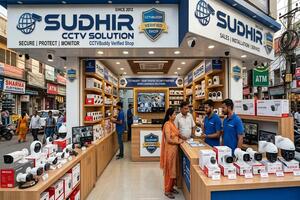
Buying a CCTV camera system involves more than comparing brands or choosing the lowest-priced package. The right setup depends on the property layout, areas that require monitoring, lighting conditions, recording requirements and the support available after installation.
A home may need cameras near its main entrance, parking area and rear access, while a retail shop may require clear views of the billing counter, product displays and customer entrance. Offices, warehouses and other commercial premises often need broader coverage, additional recording capacity and a system that can accommodate future expansion.
Understanding these differences before purchasing helps you compare products more effectively, avoid unnecessary features and make a better-informed investment in security.
What Should You Evaluate Before Buying a CCTV System?
Before visiting a retailer or comparing quotations, identify the specific problems your CCTV system needs to address. This makes it easier to select appropriate equipment instead of paying for features that may not benefit your property.
Assess the Property Layout and Identify Blind Spots
Begin by identifying the entrances, exits, corridors, staircases, parking spaces and other locations that require monitoring. Consider obstructions such as pillars, walls, trees, furniture and parked vehicles that could restrict the camera's view.
Camera placement also affects the usefulness of recorded footage. A camera mounted too high may capture general movement without showing sufficient facial detail. Similarly, a camera facing strong sunlight or bright lights can produce images with reduced visibility.
Plan the viewing angles, mounting positions and approximate monitoring distances before deciding how many cameras to purchase. The objective is to cover important areas effectively rather than simply installing more cameras.
Match Image Quality to the Purpose
A camera's image quality should suit the detail you expect to capture. Monitoring a small indoor room has different requirements from identifying people near an entrance or observing activity across a large parking area.
Consider the camera's clarity, viewing angle, night vision and distance from the area being monitored. Higher image quality can help capture more detail, but the result also depends on lighting and camera positioning.
For outdoor installations, check whether the camera is designed to withstand the weather conditions in which it will operate.
How CCTV Buying Requirements Differ Across Major Indian Cities
The right surveillance arrangement depends primarily on the property and its surroundings. The following city-specific considerations explain what buyers should evaluate when exploring available products and installation options.
Jaipur: Selecting Cameras for Independent Houses, Shops and Outdoor Areas
When comparing options at a CCTV Camera Shop in Jaipur, consider the differences between securing an independent house, an apartment and a retail property. A house may require coverage of its main gate, parking space, terrace access and other permitted entry points. A shop may place greater emphasis on the entrance, billing counter and product displays.
For outdoor cameras, consider exposure to dust, sunlight and rain. The mounting position should protect the equipment while maintaining a useful view of the area.
For properties with several entry points, map the locations that require monitoring before selecting a camera package. This can help determine whether a few strategically placed cameras are sufficient or whether additional coverage is necessary.
Gurgaon: Planning Surveillance for Apartments, Offices and Larger Properties
People exploring a CCTV Camera Shop in Gurgaon may need equipment for anything from a compact apartment to a large office, showroom or warehouse. These settings differ in the number of monitoring points, cable routes and recording requirements.
For residential installations, consider entrances, parking arrangements and other areas within the property's boundaries. Commercial installations may need coordinated coverage of reception areas, corridors, stockrooms, loading points and authorised access routes.
Cable routing deserves particular attention in larger buildings. Concealed wiring, multiple floors and difficult mounting positions can increase installation costs even when the cameras themselves are similar.
Ask for a proposed camera layout and an itemised quotation so that equipment, wiring and labour can be compared fairly.
Dehradun: Accounting for Outdoor Exposure and Night-Time Visibility
When researching a CCTV Camera Shop in Dehradun, consider where cameras will be installed and the conditions they must withstand. Cameras placed near gates, terraces, parking spaces and building boundaries may be exposed to changing weather conditions and limited outdoor lighting.
Check whether the camera is suitable for outdoor use and whether its night vision can capture useful footage in the available light. Some cameras record in black and white at night, while others can capture colour footage when sufficient light is available.
Properties with long driveways or wider open spaces may also need careful camera selection. A camera showing a broad area may not provide enough detail to identify someone standing far away.
The best choice balances coverage, image clarity, environmental suitability and total installation cost.
Delhi: Prioritising Useful Coverage in Busy Retail and Office Environments
For buyers comparing a CCTV Camera Shop in Delhi, camera placement should reflect the daily activities taking place inside the property. Retailers may need useful footage of entrances, billing counters and selected product areas, while offices may prioritise reception areas, corridors and access points.
Busy environments can create overlapping movement, obstructions and changing light conditions. Positioning cameras carefully helps reduce blind spots and improves the chances of capturing relevant details when reviewing footage.
Recording capacity is another important consideration. A business that needs to retain footage for longer periods may require more storage than a household with fewer cameras.
Before finalising a purchase, confirm how long recordings are expected to remain available, how easily footage can be reviewed and what warranty and service support the seller provides.
Hyderabad: Planning Multi-Camera Systems and Future Expansion
When exploring a CCTV Camera Shop in Hyderabad, begin by estimating the number of monitoring points and considering whether the system may need to grow over time.
A home might need a straightforward arrangement for entrances and parking, while an office, warehouse or industrial property could require coverage across several rooms, access routes and outdoor areas. Larger installations need particular attention to recording capacity, network arrangements and the location of the recording equipment.
If you expect to add cameras later, check whether the proposed system can support additional units without requiring major replacements.
A well-planned installation should meet current security requirements without making future upgrades unnecessarily difficult or expensive.
Which CCTV Camera Type Is Suitable for Your Property?
Different camera designs and technologies serve different purposes. Understanding their applications helps you compare products according to practical requirements rather than appearance or advertised features.
| Camera type | Common applications | Main consideration |
| Dome camera | Shops, offices and indoor areas | Viewing angle and mounting position |
| Bullet camera | Gates, building exteriors and parking areas | Weather protection and night vision |
| Wi-Fi camera | Homes and smaller indoor spaces | Wi-Fi coverage, power and storage |
| PTZ camera | Larger premises requiring adjustable views | Ability to turn, tilt and zoom |
| IP camera | Residential and commercial surveillance | Image quality and network compatibility |
| Battery-powered camera | Locations where power cabling is difficult | Battery life, charging and recording limitations |
A dome camera may suit an indoor reception area, while a weather-resistant bullet camera may be more appropriate for an exposed entrance. Cameras that can turn, tilt and zoom may help monitor larger areas, but they may not replace fixed cameras needed to continuously cover several separate locations.
Wi-Fi cameras can simplify connectivity in suitable locations, but many still require a power cable. Battery-powered models also need charging and may operate differently from systems designed for continuous recording.
Choose equipment according to the monitoring task, available power and connectivity, recording needs and installation budget.
Wired vs Wireless CCTV: Which Setup Makes More Sense?
Wired and wireless systems can both be effective, but their installation requirements and dependence on network connectivity differ.
| Factor | Wired CCTV | Wireless CCTV |
| Video connectivity | Uses cables for video or network transmission | Typically uses Wi-Fi for data transmission |
| Installation | May require drilling and cable routing | Can reduce the need for data cables |
| Power | Usually requires a suitable power supply | Many models still need mains power; battery models need charging |
| Connectivity | Depends on the selected system and cable installation | Wi-Fi coverage can affect performance |
| Typical use | Multi-camera homes, offices and larger properties | Homes, small offices and locations where cabling is difficult |
A wired system may be suitable where stable connections and continuous recording are priorities. A wireless setup can be convenient where extensive cabling would be difficult or disruptive.
However, wireless does not automatically mean cable-free or independent of the internet. Some cameras need continuous electrical power, and remote viewing generally requires a working network connection. Certain recording arrangements can continue locally during an internet outage, depending on the equipment and configuration.
Consider the property's layout, network reliability, installation conditions and recording requirements before choosing between the two.
CCTV Installation Cost in India: Approximate Budget for Different Setups
The total cost of a CCTV system depends on the cameras, recording equipment, storage, wiring, installation work and additional features. The following figures are approximate budgeting examples; they are not fixed prices or guaranteed quotations.
| Installation type | Approximate installed budget | Typical application |
| 2-camera setup | ₹7,500–₹12,500 | Small room, entrance or compact shop |
| 4-camera setup | ₹12,000–₹22,000 | Home or small retail property |
| 8-camera setup | ₹25,000–₹50,000 | Larger home, office or shop |
| 16-camera setup | ₹40,000–₹1,00,000+ | Larger commercial premises |
These are approximate prices to help you plan your budget. For example, a four-camera CCTV setup for a small home or shop may cost around ₹12,000–₹22,000, including basic installation. The final price may be higher or lower depending on the cameras you choose, the amount of wiring required and the installation work involved. Ask for a complete quotation before making your decision.
What Can Increase or Reduce the Installation Price?
A basic installation with a few cameras may cost less than a system covering several floors or a large outdoor area. The final amount can also change depending on whether the package includes recording equipment, a hard drive, cables, mounting accessories and labour.
If wiring needs to be concealed or cameras must be installed at difficult heights, additional work may be required. Higher-quality cameras, more recording space and power backup can also increase the budget.
When comparing quotations, check what each price includes. A cheaper package may exclude installation materials or other items that you will need to purchase separately.
Recording Storage: How Long Should Your CCTV Footage Remain Available?
The number of cameras is only one factor in determining storage requirements. Image quality, recording settings, camera activity and the amount of available storage all influence how long footage can be retained.
Understanding DVR, NVR and Camera Storage
A DVR is commonly used with compatible traditional CCTV cameras, while an NVR is generally used with network cameras. Some standalone cameras also support local memory-card storage.
A central recording device may be useful when several cameras need to be managed together. Smaller installations may benefit from storage inside the camera if its recording and playback features meet the owner's requirements.
Before purchasing, verify that the cameras and recording device work together and that the setup provides enough space for your expected recording needs.
Estimating the Required Recording Period
A system that records continuously will generally use more storage than one that records only when movement is detected. However, movement-based recording depends on the camera's settings and may not capture every relevant event.
Ask the retailer or installer how long the proposed setup is expected to retain footage. The estimate should account for the number of cameras, recording quality and whether recording will continue throughout the day.
Also check that recordings can be accessed and played back easily when required.
Common CCTV Installation Mistakes That Reduce Footage Quality
Even a good camera may deliver disappointing results when installed without sufficient planning. Several common mistakes can reduce the usefulness of a surveillance system.
-
Incorrect camera angles: A camera may cover an area without capturing useful facial detail.
-
Poor lighting conditions: Strong light behind a person can reduce visibility unless the camera is positioned appropriately.
-
Uncovered entry points: Installing cameras without mapping the property can leave important areas outside the field of view.
-
Poor cable management: Exposed or inadequately protected wiring can increase the risk of damage.
-
Insufficient storage: A small hard drive may overwrite footage earlier than expected.
-
No power backup: Power interruptions can stop recording unless suitable backup arrangements are in place.
-
Weak security settings: Default passwords or outdated software can create avoidable security risks.
Before considering an installation complete, test the camera views during the day and at night, check that footage is being recorded and confirm that you can access previous recordings.
Protecting Recorded Footage and Maintaining Privacy
CCTV footage can contain sensitive information about household members, employees, visitors and customers. Protecting access to the system and positioning cameras responsibly are important parts of ownership.
Use strong, unique passwords and keep the camera software updated. Allow access only to people who need it, and review permissions when employees or service providers no longer require access.
Camera placement should focus on legitimate monitoring needs and avoid unnecessarily recording neighbouring homes, private spaces or unrelated areas. Businesses should consider applicable privacy requirements when monitoring employees, customers and shared spaces.
If footage is stored online, check the service's storage arrangements, retention terms and any recurring charges.
Long-Term Maintenance and Ownership Costs
CCTV systems need periodic checks to remain useful. Dust on lenses, loose connections, failed power supplies, recording-device faults and outdated software can affect performance.
Outdoor cameras may need cleaning and inspection, while recording systems should be checked to confirm that footage is being saved and can be played back correctly. Power backup, battery replacement where applicable and hard-drive replacement may also contribute to long-term costs.
For larger installations, scheduled maintenance can help identify faults before they affect important recordings. If you consider an annual maintenance contract, check how many service visits are included, whether replacement parts cost extra and how service requests are handled.
The lowest purchase price does not always represent the best value. A suitable system should provide the required coverage, remain practical to maintain and fit the property's long-term security needs.
Making a More Informed CCTV Buying Decision
Choosing a CCTV system becomes easier when you begin with the property rather than the product catalogue. Identify the areas that need monitoring, determine how much detail the footage must capture, assess lighting and connectivity, and decide how long recordings should remain available.
Whether you are comparing local buying options in Jaipur, Gurgaon, Dehradun, Delhi or Hyderabad, evaluate the complete system rather than the camera alone. Product compatibility, installation quality, recording capacity, warranty terms and future maintenance all contribute to the final result.
Request an itemised quotation, check the specifications of every major component and confirm the installation scope before approving the purchase. A well-planned system can provide more useful footage, reduce avoidable costs and make everyday security monitoring easier for homes and businesses.