
Lowest Price Guaranteed

Lowest Price Guaranteed

15500+ Customers Served

1100+ Verified Service Providers

Dedicated Customer Support

On Time Services

100% Safe and Secure
You must need to confirm any hidden charges in Written before finalize the CCTV Camera Installation Services
Confirm the time slot at what time you want the CCTV Camera Installation Services
Confirm the GST charges if Applicable on the CCTV Camera Installation Services
Double check the waiting time before availing the CCTV Camera Installation Services
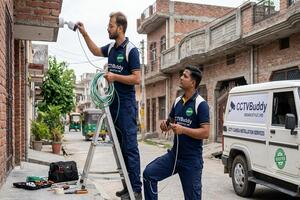
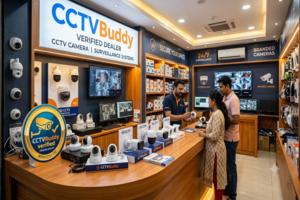
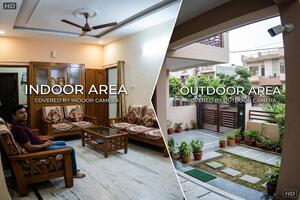
Explore our latest guides and tips to help you make the right choice for your CCTV and security needs.
1. What is the approximate cost of CCTV camera installation in Ghaziabad?
A basic two-camera HD setup may cost approximately Rs 8,000–Rs 16,000, while a four-camera HD setup may range from Rs 13,000–Rs 24,000. A four-camera IP system may cost around Rs 26,000–Rs 45,000. The final amount depends on camera models, recorder, hard drive, wiring, accessories and labour. Ask for an itemised quotation to understand the complete cost.
2. What is the price of a single CCTV camera in Ghaziabad?
An entry-level 2MP HD camera may cost around Rs 900–Rs 3,000. A 5MP HD model may range from Rs 4,000–Rs 8,500, while a basic 2MP IP camera may cost approximately Rs 1,500–Rs 3,000. Wireless models may start around 1,500 and can cost more depending on features. These are indicative camera-unit prices; installation and other equipment may be additional.
3. How many CCTV cameras are required for a home?
The number depends on the home's size, number of floors, entrances, parking arrangements and areas requiring monitoring. A small flat may need only a few cameras, while an independent multi-storey house may require additional coverage for gates, staircases, parking and rear access. A site assessment can help determine the appropriate number.
4. How much time does CCTV camera installation take?
A straightforward installation with a few cameras may be completed within a few hours. Larger properties, concealed wiring, difficult mounting locations and network configuration can take longer. The installer should provide a realistic timeline after understanding the site and work involved.
5. Will CCTV cameras continue recording during a power cut?
Most standard CCTV systems need electricity to operate. Recording can continue during a power cut if the system has a suitable UPS or backup power arrangement. Ask the installer to explain how long the proposed backup can support the cameras and recorder.
6. How many days of CCTV footage can be stored?
Storage duration depends on hard drive capacity, camera count, resolution, frame rate and recording mode. A system recording continuously may retain fewer days of footage than one configured for motion-based recording. Ask the dealer to estimate the expected retention period for your proposed configuration.
7. Can I view my CCTV cameras on my mobile phone?
Many modern DVR and NVR systems support remote viewing through a compatible mobile application. This generally requires suitable internet connectivity, correct system configuration and app access. Confirm that mobile monitoring is supported by the selected equipment and included in the installation work.
8. Can additional cameras be added to an existing CCTV system?
In many cases, additional cameras can be added if the existing recorder has free channels and supports the new camera type. You may also need additional storage, cabling, power supplies or network capacity. Ask the installer to check compatibility before purchasing extra cameras.
9. What should I check after CCTV installation is completed?
Check the live view and playback from every camera, confirm that recording is working, review the mobile application if included and test the night-time view. Collect the equipment details, warranty information and authorised login credentials before considering the work complete.
10. Does CCTVBuddy directly install CCTV cameras in Ghaziabad?
No. CCTVBuddy helps customers connect with local CCTV dealers and installation professionals. Customers can discuss equipment, quotations and installation arrangements directly with the selected dealer. CCTVBuddy facilitates the connection rather than carrying out the installation itself.

Post your need via filling form or calling us.

Team will discuss about your service need.

Price will be discussed after your need detail.

Pay a minimum amount and book service date and time slot and Sit relax! Your service is priority queue.
A CCTV system is useful only when it captures the areas that matter, records clear footage and remains accessible when you need to review an incident. Simply installing more cameras does not always improve security. Their placement, viewing angle, lighting conditions, recording capacity and installation quality all influence how effectively the system works.
In Ghaziabad, CCTV requirements can vary considerably between properties. An apartment in Indirapuram may need coverage of the main entrance and parking area, while an independent house in Kavi Nagar may require cameras across multiple floors, gates and boundary points. A retail shop in Turab Nagar has different priorities from an office in RDC Raj Nagar or a warehouse in Sahibabad.
If you are considering CCTV camera installation in Ghaziabad, start by identifying the areas you want to monitor and the level of recording detail you need. The right combination of cameras, recorder, storage and cabling can help you avoid unnecessary equipment costs while providing useful coverage.
CCTVBuddy helps customers connect with local CCTV installation professionals and compare available recommendations. Submit your requirements to explore options from up to three dealers, subject to local service availability, and discuss the equipment, installation scope and quotation directly with them.
Before selecting a camera model, consider the layout of your property and the activities you want to monitor. A camera positioned to record a building entrance may not provide a clear view of a visitor's face if it is installed too high or pointed towards strong sunlight. Similarly, a camera covering a large parking area may capture movement without showing enough detail to identify a vehicle.
Apartments and residential societies
For apartments in areas such as Indirapuram, Vaishali and Raj Nagar Extension, common requirements include entrance monitoring, lift lobby coverage, parking areas and access points. Individual flat owners may focus on the main door, balcony or corridor, while society management may need a broader arrangement for shared spaces.
Before installing cameras in common areas, check the society's permissions and privacy requirements. Cameras should monitor relevant access and security points without unnecessarily recording private areas.
Independent houses and builder floors
Homes in Kavi Nagar, Govindpuram and other residential parts of Ghaziabad may have several entry points, separate floors, balconies and open boundary areas. A practical arrangement could include cameras at the main gate, entrance passage, parking space and rear access.
For a multi-storey house, consider whether each camera has a clear view of the intended area. A camera on the ground floor may not adequately cover an upper-floor entrance or terrace access.
Retail shops and showrooms
Shops around Turab Nagar and commercial areas such as RDC Raj Nagar often need coverage of the entrance, billing counter, product display and stock area. The billing counter may require a closer camera angle to capture transactions, while a wider view can help monitor customer movement.
A single wide-angle camera is not always sufficient for both purposes. Separate views may provide more useful footage, particularly where the shop has shelves, display racks or a narrow entrance.
Offices and commercial buildings
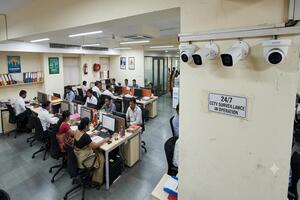
Offices may need cameras at reception, entry and exit points, corridors, server or equipment rooms and selected common areas. The installation should account for employee movement, visitor access and the layout of workspaces.
For larger offices, it is also worth checking who will have access to live viewing and recorded footage. User permissions and secure login details should be configured appropriately.
Warehouses and industrial premises
Properties in Sahibabad Industrial Area and Tronica City may require outdoor cameras for gates, loading bays, vehicle movement, boundary areas and storage sections. These locations can involve longer cable routes, changing light conditions, dust and exposure to weather.
A site inspection is particularly useful for industrial installations because camera range, mounting height, network connectivity and recording requirements can vary across different sections of the property.
Different camera designs serve different purposes. The choice should depend on the mounting location, viewing angle, lighting, weather exposure and level of detail required.
Dome cameras
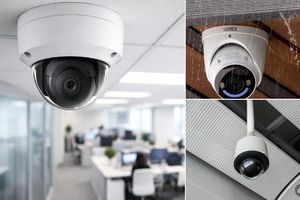
Dome cameras are commonly used indoors in homes, offices, shops and reception areas. Their compact design makes them suitable for ceilings and covered spaces. Depending on the model, they can provide a wide viewing angle for monitoring rooms, corridors and entrances.
Bullet cameras
Bullet cameras are often used for outdoor monitoring, including gates, building entrances, parking spaces and boundary areas. Many models include weather-resistant housings and infrared night vision. Check the product's actual outdoor protection rating before installation.
PTZ cameras
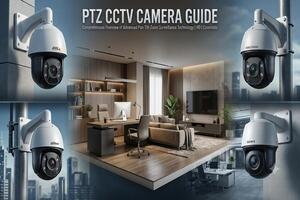
Pan-Tilt-Zoom cameras can move horizontally and vertically and provide optical zoom on supported models. They can be useful for monitoring larger areas where an operator needs to adjust the viewing direction. However, a PTZ camera should not automatically replace fixed cameras at important access points, because it may be facing another direction when an incident occurs.
Wireless cameras
Wireless CCTV cameras can reduce the need for data cabling, depending on the model and installation arrangement. However, wireless does not necessarily mean completely cable-free: many cameras still require a power connection. Wi-Fi signal strength, network reliability and recording arrangements should be checked before choosing this option.
IP cameras
IP cameras transmit video over a network and are commonly used with an NVR or compatible recording system. They can support higher-resolution options, network-based features and flexible system configurations. The final performance depends on camera specifications, network capacity and recorder compatibility.
HD analogue cameras
HD analogue cameras transmit video through compatible coaxial cabling to a DVR. They can be a practical option for conventional wired systems and may be suitable when an existing installation already has reusable cables and compatible equipment.
Both HD analogue and IP systems can provide effective surveillance. The better choice depends on the property, existing infrastructure, recording requirements and budget.
| Requirement | HD analogue system | IP camera system |
| Video connection | Usually compatible coaxial cable | Usually network cable or supported network connection |
| Recording equipment | DVR | NVR or compatible recording platform |
| Existing infrastructure | May suit properties with reusable coaxial cabling | Often planned around network cabling and equipment |
| Expansion | Depends on available DVR channels and compatibility | Depends on NVR capacity, network design and compatibility |
| Installation planning | Conventional wired camera layout | Requires attention to network capacity and configuration |
| Suitable consideration | Existing systems and straightforward wired requirements | New installations needing network-based features and flexible configuration |
For example, a homeowner replacing an older system may find that some existing cables can be reused, reducing replacement work. A new office installation may prefer an IP setup if its requirements include network-based monitoring, higher-resolution cameras or planned expansion.
Do not choose solely on the basis of the camera's advertised resolution. Check the complete system compatibility, recording quality, storage capacity, network requirements and after-sales support.
Camera specifications can look similar on paper, but their practical performance may differ. Pay attention to the following features before approving a quotation.
Resolution and image detail
Resolution affects how much detail a camera can capture. A 2MP camera may be adequate for a general entrance view, while a higher-resolution model may be useful where more detail is required. The final result also depends on lens quality, viewing distance, lighting and camera placement.
Night vision and low-light performance
Check whether the camera uses infrared night vision, a low-light sensor or supported colour-night-vision technology. A camera facing a dark parking area may need different capabilities from one installed under a well-lit shop ceiling.
Wide Dynamic Range (WDR)
WDR can help balance scenes with bright and dark areas, such as entrances where sunlight enters from outside. This feature may improve visibility when the camera faces a challenging lighting condition.
Motion detection and alerts
Motion detection can help identify activity and reduce the time spent reviewing footage. However, sensitivity settings and detection zones need to be configured properly to avoid unnecessary alerts from passing vehicles, trees or other movement.
Audio recording
Some cameras support audio capture, but it should not be assumed that every model includes a microphone. Before enabling audio, understand the applicable privacy and legal requirements and ensure that recording is appropriate for the location.
Mobile monitoring
Many modern systems support remote viewing through a mobile application. Confirm whether the selected recorder and cameras support the required app, how remote access will be configured and whether the system needs a stable internet connection.
Weather protection
Outdoor cameras should have a suitable protection rating for the installation environment. Consider rain exposure, dust, heat and the possibility of water entering cable connections or junction boxes.
Storage and recording capacity
The hard drive should be selected according to the number of cameras, resolution, frame rate, recording mode and retention period. Continuous recording generally uses more storage than motion-based recording. Ask for an estimate of how many days of footage the proposed configuration is expected to retain.
The cost of a CCTV system depends on camera type, brand, resolution, recording equipment, storage, cable length, installation conditions and the number of camera points. A camera's purchase price should not be confused with the cost of a complete working system.
The following figures are indicative budgeting ranges, not confirmed quotations from individual Ghaziabad dealers. Actual prices can vary by model, supplier and installation scope.
Approximate price of individual CCTV cameras
| Camera category | Typical specification | Approximate price |
| Basic HD camera | 2MP entry-level model | Rs 900–3,000 |
| Higher-resolution HD camera | 5MP model | Rs 4,000–8,500 |
| IP camera | 2MP network camera | Rs 1,500–3,000 |
| Wireless camera | Basic Wi-Fi model | Rs 1,500–4,000 |
These figures generally refer to camera units. They should not be treated as complete installation prices or as a guarantee that every listed specification is available at that price.
Approximate cost of complete CCTV systems
| System configuration | Typical application | Approximate price |
| 2-camera basic HD setup | Small room, flat or shop | Rs 8,000–16,000 |
| 4-camera HD setup | Home or small business | Rs 13,000–24,000 |
| 4-camera IP setup | Home or office requiring network cameras | Rs 26,000–45,000 |
| 8-camera setup | Larger home, office or commercial property | Rs 25,000–50,000 |
A complete-system estimate may include cameras, recorder, hard drive, power supplies, basic cabling and standard installation, but inclusions differ between quotations. Always ask for an itemised breakdown rather than assuming that every package covers the same equipment.
Installation labour and additional expenses
| Work or component | Approximate reference | What can affect the cost |
| Basic camera installation labour | Rs 300–800 per camera point | Mounting height, cable route and site conditions |
| Additional cabling | Quoted according to cable type and length | Distance, routing and cable protection |
| Hard drive upgrade | Depends on capacity and model | Required recording duration and camera count |
| Conduit, junction box or accessories | Depends on quantity and material | Indoor/outdoor route and mounting arrangement |
Complex installations may cost more where technicians need to work at height, route cables through concealed spaces, install additional conduits or configure network equipment.
Pricing guidance: These figures are approximate reference ranges for initial budgeting. The final quotation depends on the selected models and brands, storage capacity, wiring distance, mounting conditions, installation labour and components included. Confirm whether the quotation covers cameras, DVR/NVR, hard drive, cables, power supplies, accessories, configuration, applicable taxes and installation before approving the work.
A lower-cost system can be suitable for a small property, but reducing the budget by compromising essential coverage or storage may make the installation less useful. Consider what the system must achieve before deciding where to spend.
Basic installation for a small flat or shop
A basic setup may focus on essential entry points and a limited number of cameras. Prioritise reliable recording, suitable night vision and enough storage for your expected usage. Avoid buying additional cameras simply to increase the camera count if they do not cover meaningful areas.
Mid-range installation for an independent home or office
A mid-range system may include more camera points, improved image quality and better coverage of parking, entrances and internal areas. Consider whether a higher-resolution camera is needed at locations where identification or closer detail matters.
Higher-spec installation for larger commercial or industrial premises
Larger properties may benefit from an IP-based arrangement, additional storage, network equipment and cameras selected for specific outdoor conditions. Plan the system around the property's layout and future expansion rather than selecting equipment only by its initial price.
The number of cameras required depends on the areas to be monitored, the distance from the subject, obstructions and the viewing angle. The following examples are illustrative layouts, not fixed recommendations for every property.
Example: Four-camera layout for a small retail shop
A shop owner may consider the following arrangement:
Main entrance: Records customer entry and exit.
Billing counter: Provides a closer view of the transaction area.
Product display: Monitors shelves or high-value merchandise.
Stockroom or rear access: Covers movement around inventory and secondary entry points.
The installer should check whether shelves, display stands or signboards obstruct any camera view. A camera covering the billing counter may need a different lens or angle from one monitoring the full shop.
Example: Two-storey independent house
A home with two floors may need cameras at the main gate, ground-floor entrance, parking area and upper-floor access. If the property has a rear passage or terrace entrance, those points may need separate consideration.
The camera arrangement should provide useful views without unnecessarily recording neighbouring homes or private spaces.
Example: Warehouse or industrial unit
A warehouse may require coverage of the main gate, loading and unloading area, internal storage aisles and rear boundary. Long distances, vehicle headlights, dust and outdoor lighting can affect the selection of cameras and mounting positions.
For larger sites, a combination of fixed cameras and specialised cameras may be more practical than relying on one camera to cover a very wide area.
Even a good camera can produce poor footage when installed in the wrong position. Before drilling or fixing the camera permanently, ask the installer to check the proposed angle and confirm what will appear in the recorded view.
Entrance coverage: Position the camera to capture useful facial detail rather than only the top of a person's head.
Parking areas: Consider vehicle movement, number plate visibility, lighting and the distance from the camera.
Billing counters: Use a suitable close view of the counter instead of relying entirely on a wide room view.
Outdoor boundaries: Check whether trees, walls, gates or parked vehicles obstruct the field of view.
Night-time conditions: Test the camera after dark, particularly where headlights, reflective surfaces or low lighting may affect footage.
Cable routes: Protect exposed cables and connections from weather, accidental damage and tampering.
For important entry points, a dedicated camera may provide more useful evidence than stretching the view of another camera across several areas.
A system can appear to work while failing to capture the detail needed during an incident. These mistakes are worth checking before the installation is considered complete.
1. Mounting cameras too high
A very high camera position may provide a broad view but capture limited facial detail. The mounting height and downward angle should be selected according to the purpose of the camera.
2. Using one wide-angle camera for every purpose
A wide-angle camera can monitor a room or open area, but it may not provide enough detail at a billing counter, gate or specific access point. Use separate camera views where the security requirement is different.
3. Ignoring difficult lighting conditions
Sunlight, shadows, vehicle headlights and reflective surfaces can affect the recorded image. Test the camera in the lighting conditions in which it will actually operate.
4. Choosing storage without estimating retention needs
A hard drive that is too small may overwrite older footage sooner than expected. Estimate the required retention period using the number of cameras, recording resolution and recording mode.
5. Leaving the recorder easy to access
A DVR or NVR should not be placed in an exposed location where it can be easily disconnected, damaged or taken. Consider a secure, ventilated location with controlled access.
6. Skipping playback tests
A live camera view does not prove that footage is being recorded correctly. Check playback from each camera and confirm that the system is saving recordings as expected.
A professional installation involves more than fixing cameras to walls. The work should cover equipment compatibility, cable routing, configuration and testing.
Depending on the agreed scope, a CCTV installation service may include:
Reviewing the property and identifying suitable camera locations.
Recommending camera types and recording equipment.
Installing cameras, brackets and mounting accessories.
Routing and connecting power and video/network cables.
Configuring the DVR or NVR and connected cameras.
Installing and configuring the hard drive.
Setting up remote viewing where supported and included.
Testing live view, recording and playback.
Explaining basic system operation and access controls.
The exact scope should be written into the quotation. For example, concealed wiring, long-distance cabling, civil work, additional power points or advanced network configuration may be charged separately.
When you contact CCTV camera installers in Ghaziabad, avoid comparing quotations only by their final amount. Two proposals with the same camera count can have different specifications, storage capacity and installation scope.
Use the following points to understand what each dealer is offering.
Camera and recorder details
Check the brand, model, resolution and camera type. Confirm whether the recorder is a DVR or NVR and whether it supports the proposed cameras. If the quotation mentions only a brand name, ask for the actual model or specification.
Storage and recording period
Compare the hard drive capacity and ask how many days of footage the system is expected to retain. A quotation with a smaller hard drive may look cheaper but may not meet your recording needs.
Cabling and installation work
Confirm the cable type, approximate cable length, conduit requirements, mounting accessories and number of camera points included. Ask whether additional wiring or difficult mounting work will be charged separately.
Warranty and after-sales support
Ask about product warranty, installation workmanship support and the process for reporting a fault. Check whether the dealer will provide a service contact and the relevant warranty documentation.
Final payable amount
Request an itemised quotation showing equipment, labour, accessories, additional work and applicable taxes. This makes it easier to compare proposals on an equivalent basis.
The installer has an important role in camera placement, cable management, configuration and system handover. Before finalising a service provider, consider the following:
Relevant installation experience: Ask whether the professional has handled a property similar to yours, such as a multi-floor home, retail shop or warehouse.
Technical understanding: The installer should be able to explain camera compatibility, recorder capacity, storage and network requirements in straightforward language.
Clear quotation: Equipment models, quantities, labour and additional charges should be explained before work begins.
Installation planning: Ask how the cameras will be positioned and how cables will be routed.
Warranty clarity: Confirm which products and installation work are covered and whom to contact for support.
Testing and demonstration: The completed system should be tested, with a demonstration of live viewing and recorded playback.
For a CCTV camera installation service provider, transparent communication and a clear scope of work are just as important as the equipment being offered.
Once the cameras are installed, make sure you receive the information and access needed to operate the system independently. Do not treat the installation as complete simply because the live camera views are visible.
Before the technician leaves, check that you receive:
Equipment details: Brand, model and basic specifications of the installed cameras, recorder and hard drive.
Warranty information: Relevant warranty documents, purchase details and service contact information.
Recorder access: The authorised DVR/NVR login details and instructions for changing default passwords.
Mobile application setup: If remote monitoring is included, confirm that the app is configured on the intended device.
Recording settings: Understand continuous or motion-based recording, playback and storage settings.
Camera testing: Check the live view and recorded playback from every camera.
Basic operating demonstration: Learn how to search footage, export a recording where supported and contact the service provider for assistance.
Keep login details secure and avoid sharing administrator access unnecessarily. If multiple people need access, ask whether the system supports separate user accounts and permissions.
Finding a suitable installer can take time when you have to search several providers, explain your requirements repeatedly and compare quotations with different equipment specifications.
CCTVBuddy simplifies the initial discovery process by helping customers connect with local CCTV dealers. Instead of contacting multiple providers individually, you can submit your property and installation requirements through one enquiry.
One enquiry for multiple dealer options
Share details such as property type, location, number of areas to monitor and any specific camera requirements. Based on local availability, CCTVBuddy can help connect you with up to three CCTV dealers in approximately five minutes.
Compare recommendations, not just prices
Different dealers may suggest different camera counts, brands, storage capacities or system types. You can discuss why their recommendations differ and decide which arrangement better matches your property.
Discuss the installation directly
You can speak with the connected professionals to clarify equipment specifications, installation charges, warranty and the work included. This helps you understand the quotation before making a decision.
Keep the final decision in your hands
You choose whether to proceed with a dealer after discussing the options. CCTVBuddy facilitates the connection; the selected dealer and customer discuss the installation arrangement, final quotation and service directly. CCTVBuddy does not itself carry out the CCTV installation.
Submit your requirements: Share your location, property type and the areas you want to monitor.
Get connected with dealers: CCTVBuddy helps identify available local CCTV professionals for your requirements.
Discuss equipment and quotations: Speak with the connected dealers about camera options, installation scope, pricing and support.
Choose your preferred professional: Compare the recommendations and proceed with the dealer who best meets your requirements.
The number of available dealers and response time may vary depending on your location and service availability.
Whether you need cameras for an apartment, independent home, shop, office or industrial property, start by identifying the areas that need monitoring and the footage quality you expect. Compare camera specifications, storage, wiring, installation work and warranty instead of choosing only by the lowest quotation.
Submit your requirements through CCTVBuddy to explore available local CCTV installation professionals in Ghaziabad, discuss their recommendations and choose an option that fits your property's security needs and budget.