
Lowest Price Guaranteed

Lowest Price Guaranteed

15500+ Customers Served

1100+ Verified Service Providers

Dedicated Customer Support

On Time Services

100% Safe and Secure
You must need to confirm any hidden charges in Written before finalize the CCTV Camera for Home
Confirm the time slot at what time you want the CCTV Camera for Home
Confirm the GST charges if Applicable on the CCTV Camera for Home
Double check the waiting time before availing the CCTV Camera for Home

Explore our latest guides and tips to help you make the right choice for your CCTV and security needs.
1. Will my home CCTV cameras continue recording if the internet stops working?
Many CCTV systems can continue recording without internet if footage is saved locally to a memory card or a DVR/NVR and the equipment still has power. However, remote viewing and mobile notifications may stop until the connection returns. Before installation, ask your provider to demonstrate whether local recording continues during an internet outage.
2. Can I check my Noida home's CCTV cameras while I am in another city?
Yes. If your system supports remote viewing, you can usually check live footage and available recordings through its mobile app while away from home. Your camera system must be configured for remote access, and the required equipment and internet connection must be working. Secure the account with a strong password and enable two-factor authentication if available.
3. What happens to CCTV recordings when the memory card or hard drive becomes full?
The result depends on your recording settings. Many systems can automatically overwrite the oldest footage when storage fills up, while others may stop recording or behave differently depending on their configuration. Ask your installer how overwrite settings work, how much footage your storage can hold, and how to save important recordings before they are replaced.
4. Can I install a CCTV camera outside my flat door in a Noida society?
That depends on your housing society's rules, the camera's position and the area it captures. A camera aimed at your own entrance may raise different concerns from one recording a shared corridor, lift or another resident's doorway. Check with society management before installation and ensure the camera does not unnecessarily capture private areas or neighbouring homes.
5. How can I tell whether my CCTV system is actually recording, not just showing a live picture?
Seeing a live camera feed does not necessarily mean footage is being saved. Check the recording indicator or status in the app or recorder, then open playback and confirm that recent footage is available for each camera. Also check storage status and recording schedules. Ask the installer to demonstrate playback and explain what alerts appear if recording fails.
6. How can I protect my home CCTV footage from unauthorised access?
Change default login details, use a unique password, keep the camera software updated and enable two-factor authentication if supported. Limit shared access to people who genuinely need it, remove old user accounts, and secure the Wi-Fi network connected to your system. If you use cloud storage, review account security and understand how recordings are stored and accessed.

Post your need via filling form or calling us.

Team will discuss about your service need.

Price will be discussed after your need detail.

Pay a minimum amount and book service date and time slot and Sit relax! Your service is priority queue.
How Noida's Residential Properties Influence Home CCTV Requirements
Noida has a mix of high-rise apartments, gated societies, builder floors and independent houses. Each property has its own security requirements, so choosing a CCTV system starts with understanding the layout of your home rather than selecting a standard package.
In apartment communities across Sectors 75 and 76, residents may want to monitor the main entrance, a private balcony or their parking space. In an independent house, the priorities may include the front gate, driveway, staircase and rear entrance. Homes in residential areas along the Noida–Greater Noida Expressway may have different requirements depending on the property's size and access points.
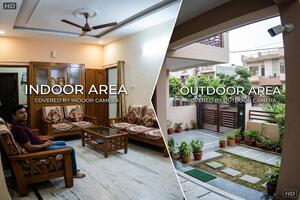
Before choosing cameras, identify the areas you want to monitor and consider what each camera needs to capture. A well-positioned camera can be more useful than several cameras that leave important blind spots.
If you live in an apartment society, check the rules for installing cameras in shared corridors, lifts and common parking areas. Keep the camera's field of view focused on appropriate spaces and avoid unnecessarily recording neighbouring properties.
The right setup depends on the type of home and the areas you want to keep under observation.
For flats and apartments: CCTV cameras for flats and apartments can help monitor the main door, selected indoor spaces and permitted private outdoor areas. A Wi-Fi camera may suit a smaller installation, while a multi-camera system can be more appropriate for a larger flat with several priority areas.
For independent houses: CCTV cameras for independent houses may need to cover multiple entry points. A camera facing the main gate might not provide a clear view of the front door or rear passage. Consider the viewing angle, mounting position and weather protection when selecting outdoor models.
For rented homes: A compact camera that can be installed without extensive drilling may be more practical. Check your rental agreement and obtain permission before making permanent changes to the property.
The aim is to achieve useful coverage without paying for equipment that adds little value.
If you are wondering which CCTV camera is best for house security, consider where the camera will be installed, the detail you need to capture and how you want to access recordings.
Wi-Fi cameras: Suitable for many smaller installations where smartphone viewing is important. Check signal strength and power availability at the proposed location.
Wired cameras: Worth considering for permanent systems with several cameras. Cable routes should be planned before installation.
IP cameras: Suitable for digital surveillance setups using a network connection and compatible recording equipment.
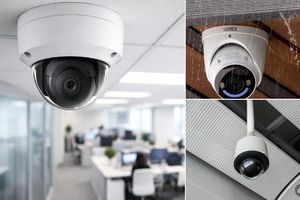
Dome cameras: Often used indoors, including entrances and covered areas.
Bullet cameras: Commonly installed outdoors to monitor gates and driveways, provided the model has suitable weather protection.
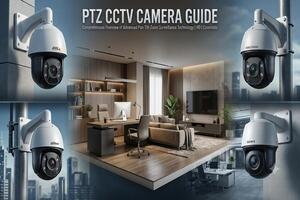
PTZ cameras: Allow remote movement and zoom on supported models. They can help monitor larger areas, although fixed cameras may be better for continuously covering separate entrances.
When comparing the best CCTV Camera for Home in Noida, look beyond resolution. Night-time image quality, viewing angle, motion detection, recording capacity, warranty and service support all influence how well a system performs.
CCTV cameras with mobile viewing for home allow you to check supported camera feeds on your smartphone when you are away. Depending on the model, you may also receive motion alerts, review recorded clips or use two-way audio.
Before purchasing, check whether the camera's mobile application is compatible with your phone and whether your internet connection can support remote viewing. Some systems can continue recording locally during an internet outage, but remote access generally requires an active connection.
Night vision is equally important. A camera facing a bright light or monitoring a poorly lit driveway may not capture the detail you expect. Ask the dealer about performance at the actual distance you need to monitor.
Storage also affects the usefulness of a system. A standalone camera may use a memory card, while a multi-camera installation may use a DVR or NVR with a hard drive. The recording period depends on storage capacity, camera settings and the number of cameras. Confirm how long footage can be retained and whether cloud storage or advanced app features involve recurring fees.
The CCTV camera price for home in Noida depends on the equipment, number of cameras, recording method and installation work. A standalone Wi-Fi camera is a different purchase from a complete wired system with multiple cameras, a recorder and storage.
The following figures are indicative budgeting estimates for 2026, not verified quotations from Noida dealers.
| Type of setup | Approximate budget |
| Single Wi-Fi camera | Rs1,800–Rs3,500 |
| Two-camera home system | Rs7,500– Rs10,500 |
| Four-camera wired system with recorder | Rs11,500–Rs19,000 |
| Eight-camera home system | Rs34,000–Rs43,000+ |
Actual prices vary by brand, specifications and installation conditions. Premium models, longer cable runs, difficult mounting locations and additional electrical work can increase the final amount.
When comparing packages, check whether the quoted price includes cameras, a DVR or NVR, hard drive, cables, connectors, power supplies, mounting accessories and installation labour. Also confirm applicable taxes, warranty conditions and any recurring subscription charges.
A lower-priced package may be suitable for your home, but only if its specifications and included services meet your requirements. Comparing complete packages gives you a more accurate picture of value than comparing camera prices alone.
A CCTV camera installation quotation for home should explain the equipment being supplied, the work being performed and the total amount payable.
Before accepting an offer, clarify these points:
Camera specifications: Confirm the model, resolution, night-vision capabilities and number of cameras.
Recording equipment: Check whether a recorder or memory card is included and how much footage the system can retain.
Installation charges: Ask whether cabling, mounting accessories, drilling and labour are covered.
Mobile configuration: Confirm whether the installer will set up the application and demonstrate how to view recordings.
Warranty and support: Understand what the warranty covers and whether service visits involve additional charges.
Additional costs: Ask about cloud storage, extra cabling, electrical work and other possible charges.
An itemised quotation makes it easier to compare proposals and reduces the likelihood of unexpected expenses after installation.
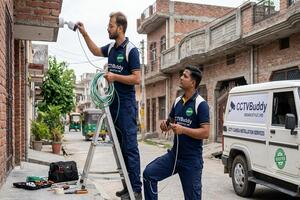
Professional CCTV Camera Installation for Home in Noida should account for the property's layout, camera positions, lighting, power supply and cable routes.
For example, a camera near the entrance should capture a useful view of approaching visitors, while an outdoor camera may need to withstand rain and dust. A Wi-Fi model also needs a reliable signal at its mounting point.
Discuss these practical details with the installer before finalising the system. A site assessment can help identify blind spots, difficult mounting positions and connectivity problems before equipment is purchased.
After installation, check the live feed, test night-time footage and make sure recording works correctly. If mobile viewing is included, test it on your phone and ask the installer to explain how to retrieve recorded clips and manage account access.
A properly configured system should be straightforward to use after the installation is complete.
Locality information can help when arranging a site visit and explaining your installation requirements. Noida's residential sectors and neighbouring Greater Noida West include properties with different layouts, access arrangements and installation needs.
Residents in Sector 50 may need cameras for an individual house or flat entrance. In Sectors 75 and 76, apartment layouts and society rules can influence placement. In Sector 137, homeowners may prioritise entrance coverage, parking access or mobile monitoring, depending on their property.
For people searching for a cctv camera noida extension service, Greater Noida West includes high-rise apartments, builder floors and independent houses. The number and type of cameras should be selected according to the actual property rather than the locality alone.
If you are looking for a cctv camera in noida sector 10, provide the full installation address when making an enquiry. This helps clarify the intended area and allows the provider to confirm service availability.
Local coverage, site-visit arrangements and charges may vary, so confirm these details directly with the dealer before proceeding.
Finding a suitable CCTV system involves more than choosing a camera brand. You also need to understand the installation scope, recording options and support available after the purchase.
CCTVBuddy helps homeowners submit enquiries and explore available local CCTV dealers through a simple process.
1. Share your requirements
Tell us whether you need cameras for a flat, independent house, entrance, parking area or several parts of your property. Include your preferred features and approximate budget.
2. Explore local providers
CCTVBuddy helps connect your enquiry with relevant CCTV service providers based on your requirements and available coverage.
3. Compare the proposals
Review the camera specifications, installation charges, recording equipment, warranty and support terms. Ask the providers to clarify anything missing from their quotations.
4. Choose the option that suits your home
Compare the available proposals and confirm the final price, equipment, payment terms and installation arrangements directly with your chosen provider.
CCTVBuddy facilitates enquiries and connections. The selected provider confirms the final quotation, equipment, installation and service commitments. Provider availability and response times may vary.
A suitable home surveillance system should cover the areas that matter, provide useful recordings and fit your budget. Start with your property's layout, decide which features you genuinely need and compare the complete installation cost before making a decision.
Whether you live in an apartment, builder floor or independent house in Noida or Greater Noida West, CCTVBuddy can help you explore local options and compare available quotations.
Share your requirements, ask the right questions and choose a CCTV setup that makes sense for your home.