
Lowest Price Guaranteed

Lowest Price Guaranteed

15500+ Customers Served

1100+ Verified Service Providers

Dedicated Customer Support

On Time Services

100% Safe and Secure
You must need to confirm any hidden charges in Written before finalize the CCTV Camera for Home
Confirm the time slot at what time you want the CCTV Camera for Home
Confirm the GST charges if Applicable on the CCTV Camera for Home
Double check the waiting time before availing the CCTV Camera for Home
Explore our latest guides and tips to help you make the right choice for your CCTV and security needs.
1. Is it better to buy CCTV cameras online or through a local dealer?
Buying online can be convenient when you already know exactly which camera you need. A local dealer can be more useful when you need help deciding camera positions, checking the property, arranging installation or selecting compatible equipment. For a complete home system, comparing both the product specification and the support available after purchase can help you make a better decision.
2. Can a CCTV dealer check my home before recommending a camera system?
Yes, many local CCTV dealers can assess the property before suggesting equipment. They may look at entrances, walls, mounting points, lighting, wiring routes and other practical conditions that are difficult to judge from a product listing. A site assessment can therefore help avoid choosing cameras that are unsuitable for the actual installation location.
3. What should I do if my CCTV footage does not clearly show a person's face or vehicle number?
The problem may not always be the camera's advertised resolution. Viewing distance, lens selection, camera height, lighting, angle and the position of the person or vehicle can all affect identification. If clear identification is important, discuss the actual viewing distance and target area with the dealer instead of choosing a camera based only on its megapixel rating.
4. Can I use the same CCTV setup for both my home and a small shop or office?
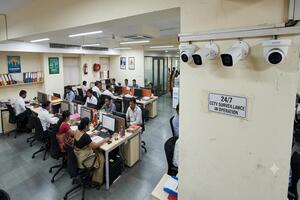
A system may work for both locations, but the requirements can be different. A home may focus on entrances, parking and selected indoor areas, while a shop or office may require coverage of customer areas, counters, storage spaces or multiple access points. The camera arrangement should therefore be planned according to the property and what needs to be monitored.
5. What should I do if I am not sure which CCTV system is suitable for my home?
Start by identifying the areas you want to monitor and note whether they are indoors, outdoors, open, enclosed or difficult to access. You can then share these details with local CCTV dealers and compare their recommendations rather than selecting a system based only on brand or price. CCTVBuddy can help you connect with up to 3 dealers in your city so you can discuss the options directly.

Post your need via filling form or calling us.

Team will discuss about your service need.

Price will be discussed after your need detail.

Pay a minimum amount and book service date and time slot and Sit relax! Your service is priority queue.
Home security needs are different for every property. An apartment may need coverage around the main door and living area, while an independent house may also need cameras near the gate, driveway, parking space or backyard.
That is why choosing a surveillance system should start with what you need to monitor, not simply with a particular brand or camera model. The right option depends on the location, viewing area, lighting, internet connection, storage and budget.
If you are looking for a cctv camera for home in Meerut, CCTVBuddy can help you connect with local CCTV dealers who can discuss suitable options for your property. Submit your requirement once and receive contact details of up to 3 dealers in your city in about 5 minutes.
A surveillance system lets you keep an eye on important areas of your property even when you are away. Depending on the equipment, you may be able to view live footage, receive activity alerts and check previous recordings from your phone.
A camera near the entrance can help you see who is approaching the property. Outdoor coverage can be useful around parking or access points, while an indoor unit may help monitor a living area, hallway or staircase.
Cameras are only one part of home security. Proper lighting, secure doors and windows, controlled access and other sensible precautions can also contribute to a safer property.
Before deciding how many cameras you need, walk around the property and identify the locations that matter most.
Consider:
This approach helps you avoid buying equipment simply because it has more features. A camera is useful when it provides the right coverage from the right position.
Different camera designs solve different problems. You may not need the same type throughout your home.
| Camera type | Common use |
| Indoor camera | Rooms, hallways and common areas |
| Outdoor camera | Gates, driveways, parking and exterior walls |
| Wi-Fi camera | Convenient indoor or selected outdoor installations |
| PTZ camera | Larger areas requiring adjustable viewing |
| 360° camera | Wider coverage from a single position |
| AI-enabled camera | Person detection and smarter activity alerts |
| 4G camera | Locations without dependable Wi-Fi |
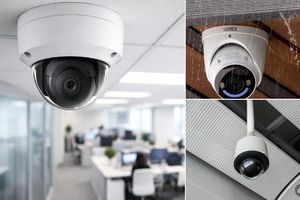
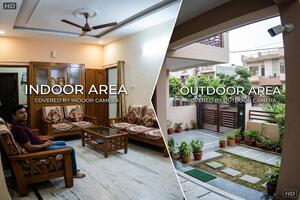
An indoor security camera for home is designed for protected areas such as living rooms, hallways, staircases and other indoor spaces.
Many compact models provide features such as mobile viewing, motion alerts, night vision and two-way communication. For a small room, a fixed camera may be sufficient. There is little reason to pay for advanced movement or tracking features unless you actually need them.
An outdoor security camera for home is better suited to exposed locations such as gates, driveways, parking areas and exterior walls.
Weather protection, night visibility, viewing distance and mounting position are particularly important here. The camera should also be positioned so that the intended area remains visible without being blocked by walls, trees or other obstacles.
A wireless security camera for home can be useful when running network cables through the property is inconvenient.
However, wireless does not always mean completely cable-free. Many models still need a power connection, and the Wi-Fi signal must be strong enough at the installation point.
Before choosing this type, check both the available power supply and network coverage.
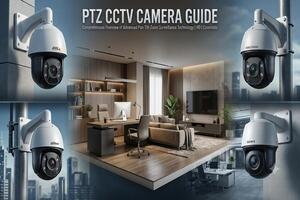
PTZ cameras can move horizontally and vertically and, depending on the model, zoom into a selected area. They can be useful when one camera needs to cover a relatively large space.
A 360° camera provides a broader field of view and can work well in locations where you want to monitor several directions from one position.
AI-enabled models can provide features such as person detection and more specific activity alerts. These can be useful when you want fewer unnecessary notifications instead of receiving an alert every time something moves.
A 4G camera can be considered where a reliable broadband connection is unavailable but suitable mobile network coverage is available.
Solar-powered models can be useful in selected outdoor locations where conventional electrical connections are difficult. Their suitability depends on sunlight, installation conditions and the camera's power requirements.
The useful question is not whether a feature is popular. It is whether that feature solves a problem at your property.
Many people now look beyond video when choosing a surveillance system. Sound can provide additional context that an image alone may not capture.
Depending on the model, audio-related features can include:
Two-way communication can be particularly useful near an entrance. For example, you may be able to speak with a delivery person or visitor without going to the door.
Keep in mind that audio recording and two-way communication are different features. If sound is important to you, ask the dealer whether the selected model has a microphone, speaker, or both, and how the recorded audio is stored.
Camera specifications can become confusing because different products offer a long list of features. Instead of choosing the longest specification sheet, focus on what you will actually use.
Night Vision
If you need coverage after dark, check the camera's low-light performance and whether its night-vision range suits the area.
Resolution
Higher resolution can provide more image detail, but it is not the only factor affecting picture quality. Lens quality, lighting, viewing distance and installation position also matter.
Mobile Viewing
If you want to check your property while away, confirm that the camera or recorder supports reliable remote viewing through the required app or platform.
Storage
Find out whether footage is stored on a memory card, DVR/NVR, cloud service or another system. Also ask how much recording time the available storage can provide.
Motion Detection
Motion alerts can be useful, but overly sensitive settings may result in unnecessary notifications. Some newer models offer more specific detection options.
Warranty and Service
Ask what warranty is included and who will handle installation, troubleshooting or service if something goes wrong later.
The price for cctv camera for home in Meerut varies according to the camera type, resolution, brand, storage, connectivity and installation requirements.
For general budgeting, the following are approximate ranges:
| Camera or setup | Approximate price |
| Basic indoor camera | ₹1,000 – ₹2,500 |
| Wi-Fi camera | ₹1,500 – ₹4,000 |
| 2MP–3MP camera | ₹1,200 – ₹3,000 |
| 4MP–5MP camera | ₹2,000 – ₹5,000 |
| Outdoor camera | ₹1,800 – ₹5,000 |
| PTZ / 360° camera | ₹2,500 – ₹8,500+ |
| 4G camera | ₹3,000 – ₹8,000+ |
| Solar camera | ₹7,000 – ₹20,000+ |
| Two-camera setup | ₹5,000 – ₹12,000+ |
| Four-camera setup with recorder | ₹10,000 – ₹22,000+ |
| Complete setup with recorder and installation | ₹12,000 – ₹30,000+ |
These are approximate figures, not fixed CCTVBuddy rates. Actual quotations can vary based on brand, specifications, location, storage, installation complexity and the components included.
If two dealers quote different amounts for apparently similar systems, look beyond the final number.
One quotation may include better cameras, more storage, higher-quality cabling, installation, mounting accessories, configuration or a longer warranty. Another may list some of these separately.
So when comparing CCTV camera price, compare the complete specification and what is included rather than looking only at the price of the camera itself.
There is no fixed number that works for every property.
A small apartment may need one or two strategically positioned units. An independent house may require coverage around the entrance, driveway, parking area and rear access. A larger property may need several viewpoints to avoid blind spots.
The aim should be useful coverage rather than the maximum number of cameras. Start with the important areas and then decide how many viewpoints are actually necessary.
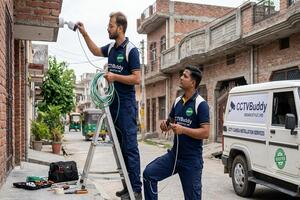
CCTV camera installation for home should be planned together with the equipment selection.
The installer should consider mounting height, viewing angle, lighting, power supply, Wi-Fi or network connectivity and cable routing.
Before approving the quotation, ask whether it includes:
This makes the final cost easier to understand and reduces the chance of unexpected additions later.
Finding a camera online is only the first step. You may still need advice about the number of cameras, installation position, storage and which features are appropriate for your property.
CCTVBuddy works as an aggregator, helping homeowners connect with CCTV dealers in their city.
Instead of searching for providers one by one, you can submit your requirement once and receive contact details of up to 3 local CCTV dealers in about 5 minutes.
You can then discuss the available options directly with them and compare the quotations according to your own requirements.
1. Share your requirement
Tell CCTVBuddy your city, property type and what you want to monitor.
2. Find relevant local providers
Your enquiry is connected with CCTV dealers serving your city.
3. Receive up to 3 dealer contacts
You can receive contact details of up to 3 local providers in about 5 minutes.
4. Discuss and compare
Speak with the dealers about cameras, installation, storage, warranty and pricing. You can compare the options and decide which arrangement suits you.
The purpose is simple: make it easier to start conversations with relevant local providers without contacting each one separately.
A search for cctv camera for home near me often indicates that the customer wants local assistance rather than simply buying a product online.
A nearby dealer can discuss the property layout, inspect potential installation points, recommend suitable equipment and explain the installation cost.
Through CCTVBuddy, you can submit one enquiry and connect with up to 3 dealers in your city, giving you several local contacts to discuss your requirements with.
There is no single best cctv camera for home in Meerut for every type of property.
An apartment room may be better suited to a compact Wi-Fi model. A gate or driveway may require an outdoor camera with suitable weather protection and night vision. A large open area may benefit from PTZ or 360° coverage, while a property without dependable broadband may need a 4G option.
Whether you need one camera for an apartment or a complete system for an independent house, begin with the areas that need coverage and the features that matter to you.
CCTVBuddy can connect your enquiry with up to 3 CCTV dealers in your city in about 5 minutes. You can discuss suitable equipment, installation, storage, warranty and pricing directly with them.
You can then compare the available options and choose the setup that fits your property and budget.